
Your lights dance to your music.
Straight over your own Wi-Fi.
PartyLights listens through the microphone and moves your smart lights with the beat, the drops and the mood of every song. Lights from different brands play together in one show, with no account and no cloud of ours.

- iPhone
- iPad
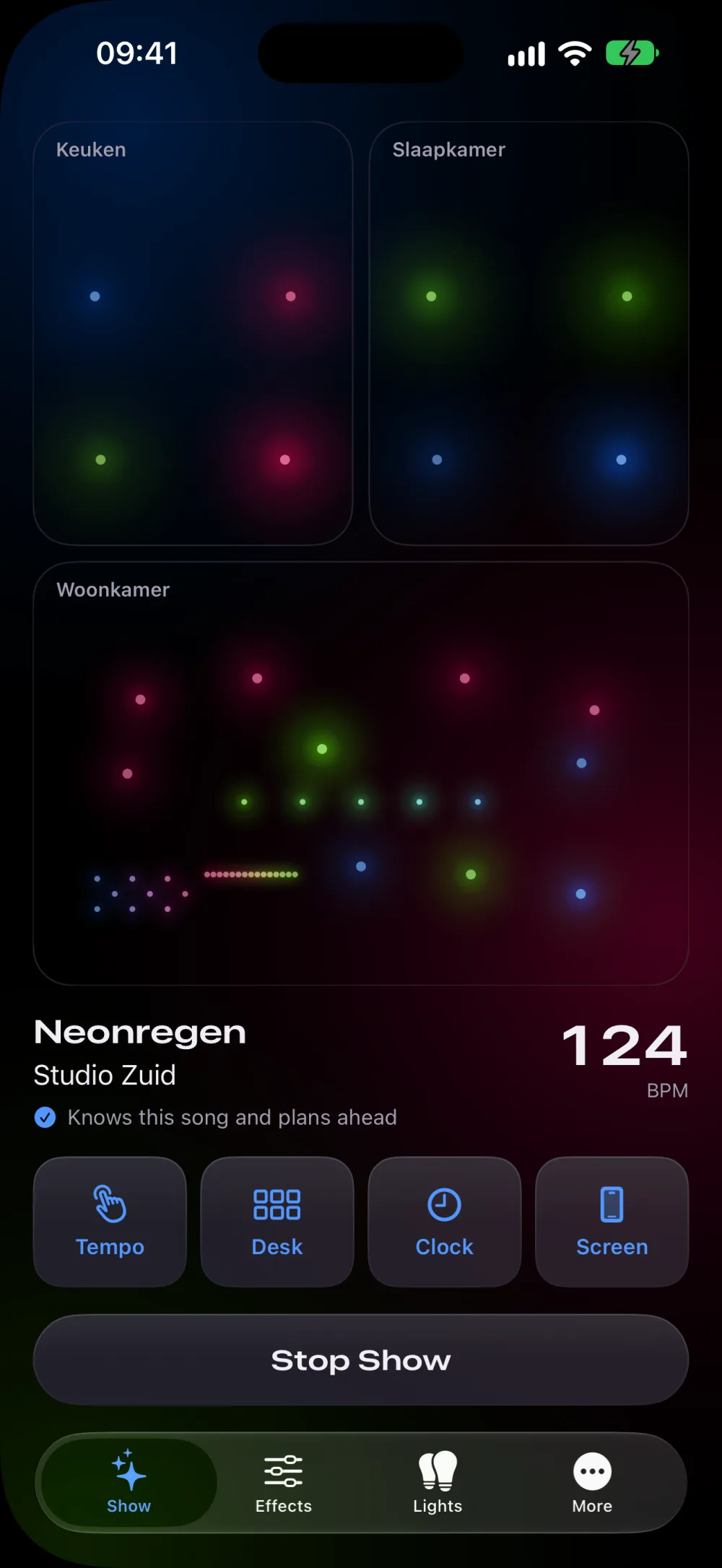
Every song gets its own show
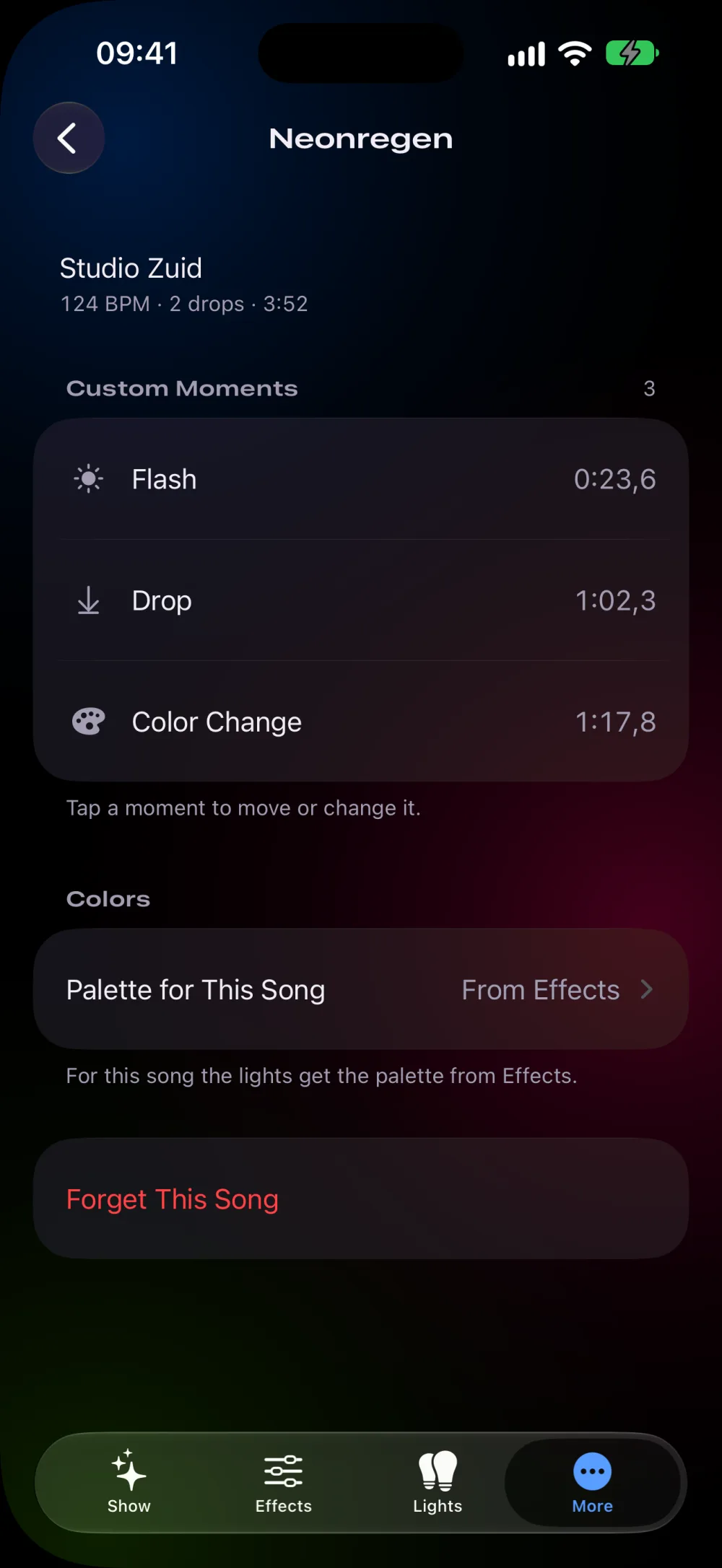
A streaming service, a record player or a DJ: the app listens through the microphone, so any source works. For every song it recognizes, PartyLights remembers the tempo, the beats and the drops. Play it again and the lights know the drop is coming before you hear it.
- Music playing on this iPhone, even through AirPods, goes straight into the show
- With Apple Music the app knows exactly which song is playing
- Mark your own flashes, drops and color changes, and give a song its own palette
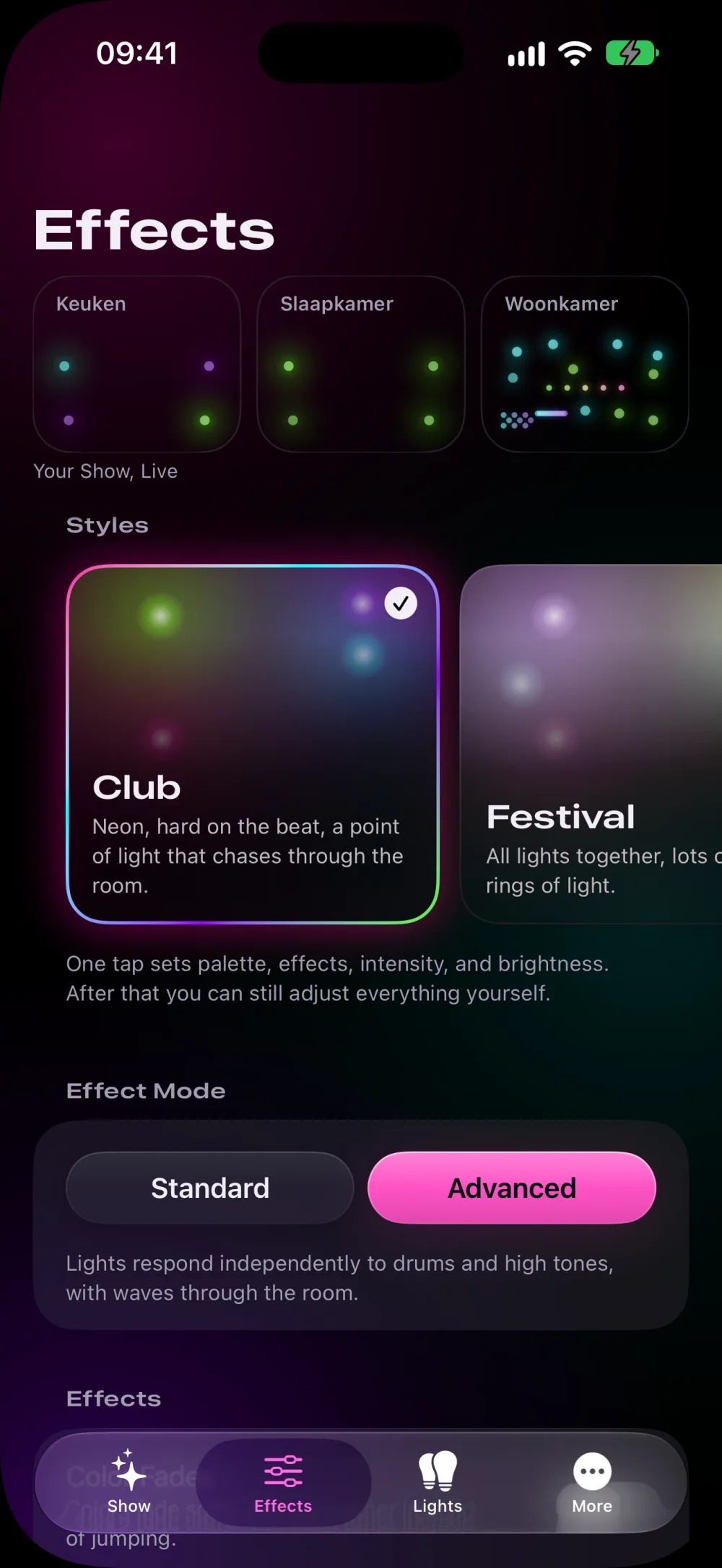
One tap and the party starts
Pick Club, Festival, Lounge, Dinner or Cinema. One tap sets the palette, effects, intensity and brightness, and you can still fine-tune everything after that.
- In Advanced mode lights respond independently to drums and high tones, with waves through the room
- Effects on beats, drums, percussion, mood and energy
- Palettes from a photo or the album cover
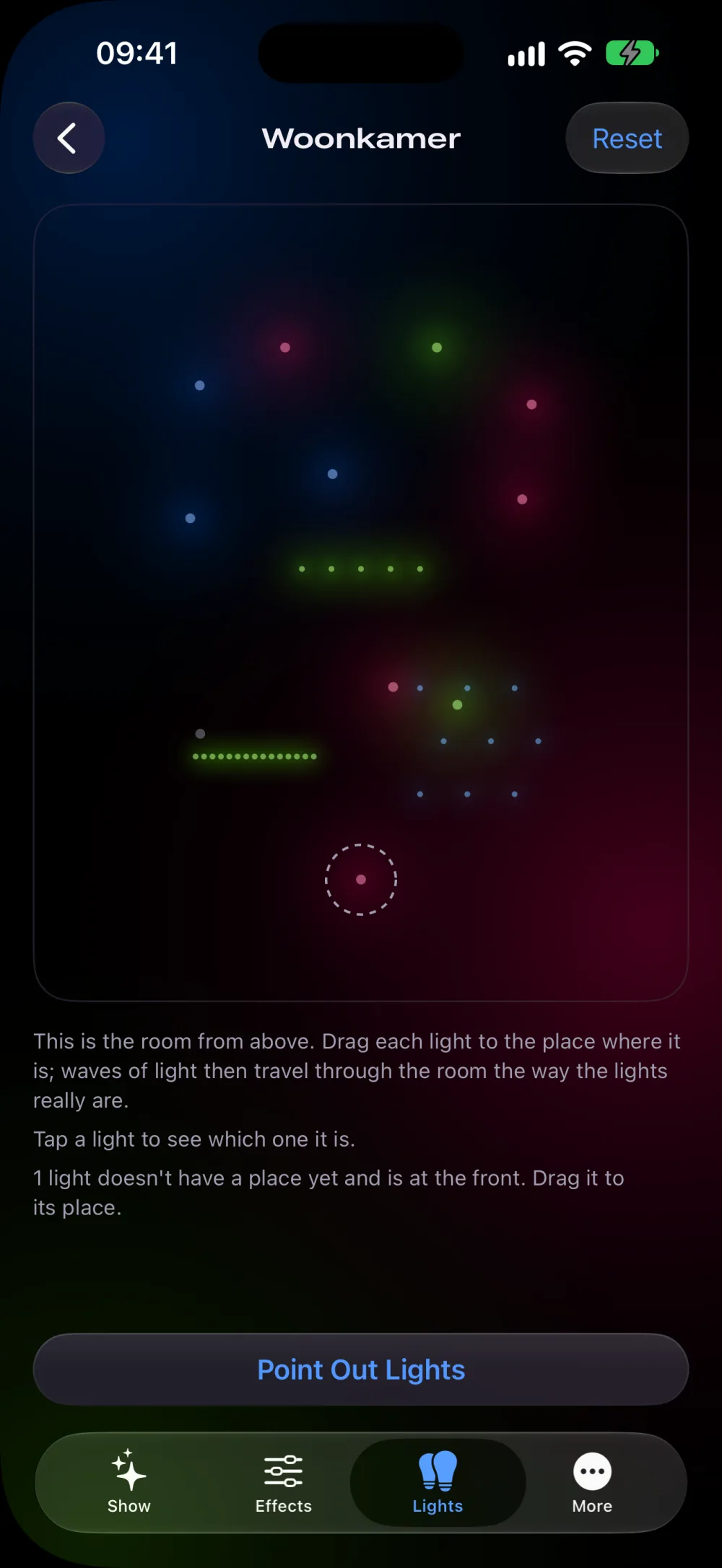
Your room as it really is
Each light blinks in turn and you show where it stands. After that, waves of light roll through the room the way it is laid out, instead of jumping from light to light at random.
- Six wave shapes, from Ripple to Comet
- Color Map: paint colors onto the floor plan and each light takes the color of its spot
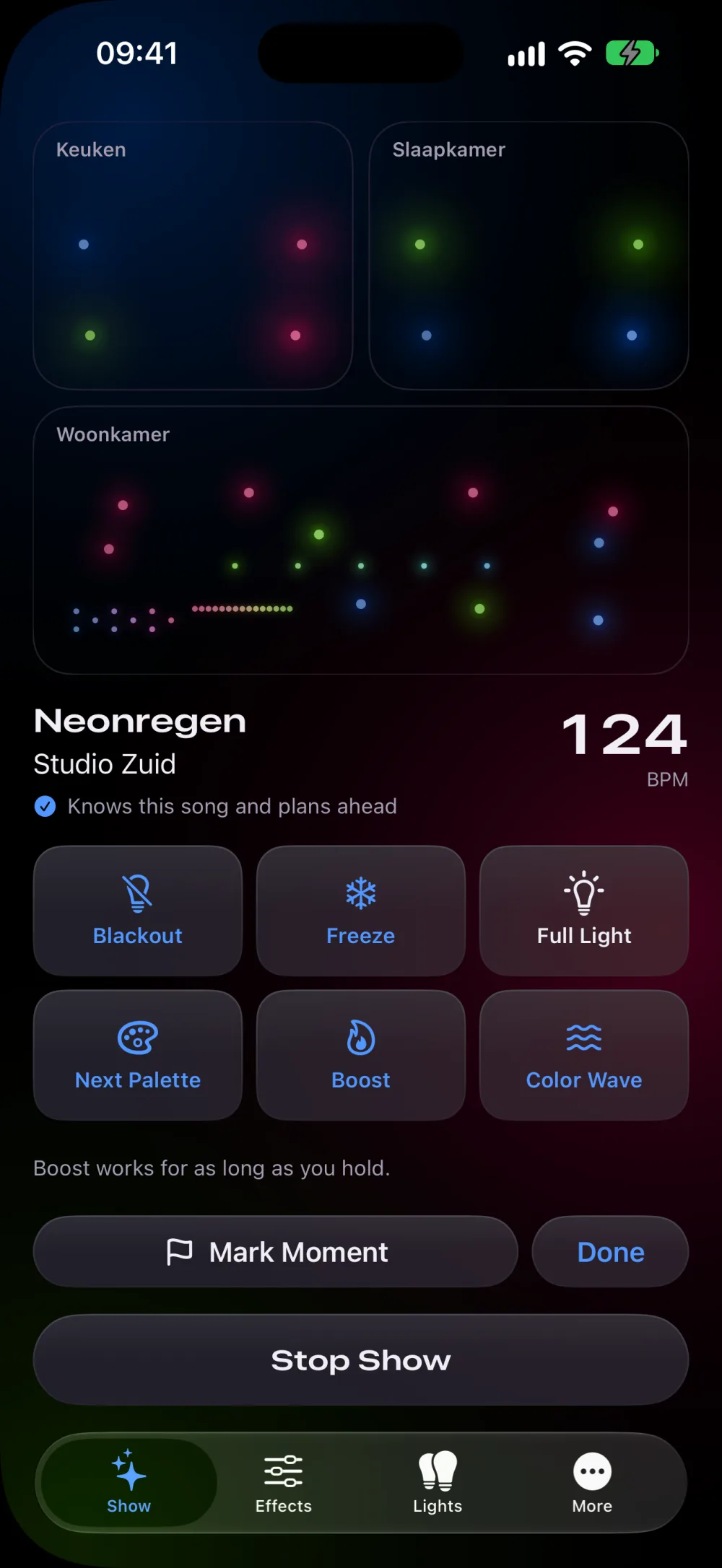
Take the lights into your own hands
During the party you steer with the Light Desk: Blackout, Freeze, Full Light, Next Palette, Boost and Color Wave. Boost lasts for as long as you hold it.
- Your iPhone or iPad joins in as a light
- A Live Activity shows the song and the tempo
- Start and stop the show from Control Center, Siri or Shortcuts
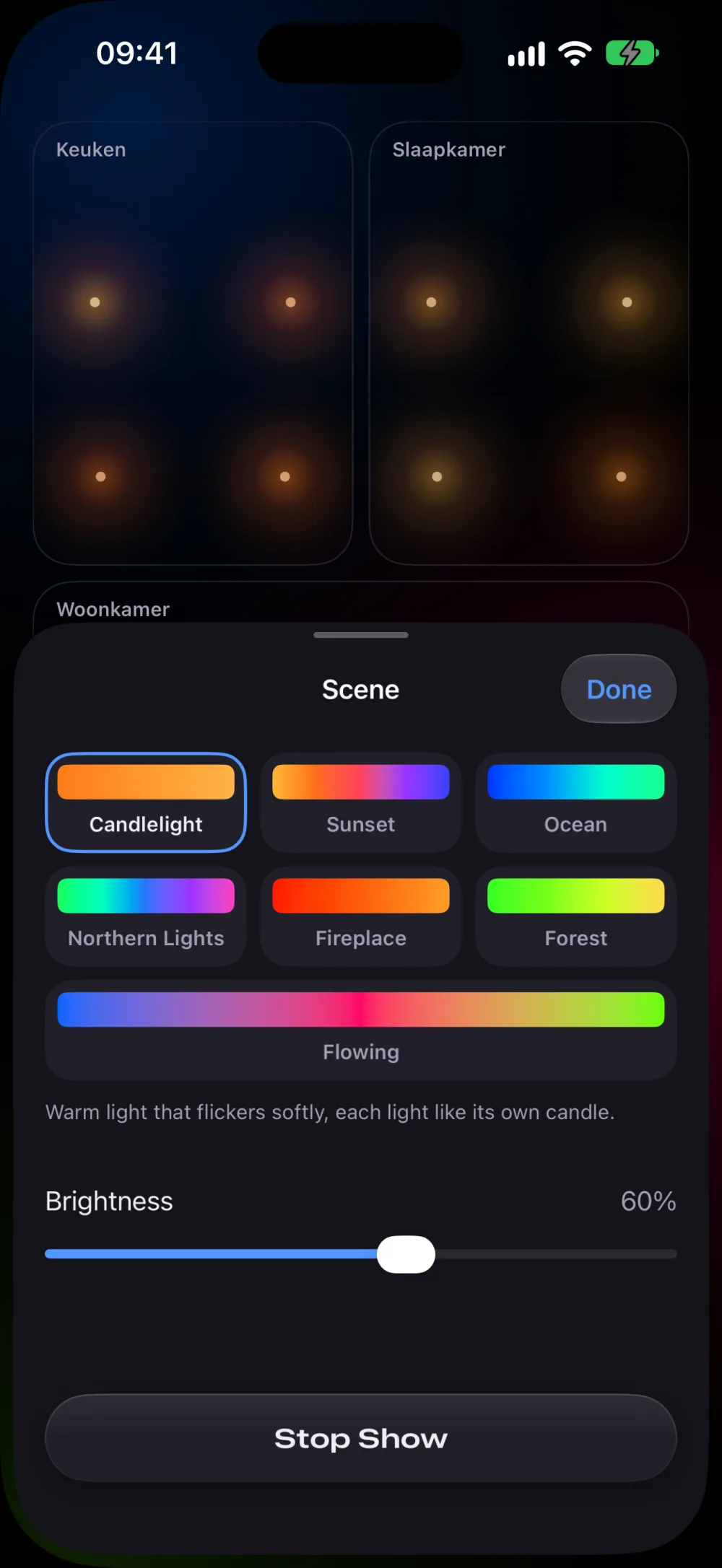
Mood lighting, even without music
For quiet evenings there is candlelight, fireplace, ocean, forest or northern lights, without the microphone. At Christmas, red and green shift slowly through warm gold, and on New Year's Eve you count down to midnight together.
- Countdown: the lights build up, pulse every second for the last ten seconds and burst into color at zero
- The Sleep Timer fades the light out gently
- Quiet Hours make the show softer from a time you choose
At a glance
One show for all your lights
Lights from different brands play together, including lights from the Home app (HomeKit) and DMX over Art-Net or sACN.
No account
The app finds your lights on your network and controls them directly. There is no account and no cloud of ours.
Nothing is recorded
The microphone only analyzes the music live. No audio is stored or sent anywhere, and there are no ads or tracking.
Safe with light
Strobes stay off until you deliberately switch them on. A flash limit caps the flashing and the app follows Dim Flashing Lights.
Try the demo first
No lights yet? The demo plays a built-in song on example lights, so you can see what the app does.
Synced with iCloud
Your settings, lights, presets and palettes follow you to your other devices through iCloud.
Free, with PartyLights Pro when you want more
The free version gives you the show on the microphone, with color fades and pulses on all your directly paired lights. For the first four hours of show time you can try everything in Pro. Pro unlocks Advanced effects, Styles, Color Map, the Light Desk, Ambience scenes, Apple Music, song learning, Arrange Room and HomeKit lights, among other things. In the Netherlands Pro costs €2.99 a month, €19.99 a year or €39.99 as a one-time purchase; other countries follow Apple's local pricing. A subscription renews automatically unless you cancel at least 24 hours before the end of the period in your Apple Account.
Good to know
Which lights work with PartyLights?
Smart lights on the same Wi-Fi network as your iPhone or iPad, including Govee, Nanoleaf and LIFX, plus DMX devices over Art-Net or sACN. Lights that work through a bridge are paired through that bridge on your network. Other lights in the Home app join in through HomeKit. Govee lights need LAN Control switched on in Govee's own app.
Does it work with any music source?
Yes. The app listens through the microphone, so a streaming service, YouTube, a record player or a DJ all work. When the music plays on the same iPhone, even through AirPods, the show gets the sound directly. With Apple Music the app knows exactly which song is playing.
Does the app record audio?
No. The microphone is only used to analyze the music live. No audio is recorded or sent anywhere. Song Recognition sends a fingerprint of the sound, not a recording, to Apple's Shazam service, and you can switch it off.
Do I need an account?
No. There is no account and no cloud of ours. The app finds your lights on your own network and controls them directly.
What do I need?
An iPhone or iPad with iOS 18 or later and lights on the same Wi-Fi network. If you don't have lights yet, the demo with example lights shows what the app does.
Is the flashing light safe?
Strobes are off by default and only come on when you deliberately switch them on, with a warning. A flash limit caps how often per second a light flashes, and the app follows the iOS setting Dim Flashing Lights. Stop the show immediately if anyone feels unwell around flashing light.
More apps by WeMeekIt
 BamBuddyWatch and control your 3D printers on iPhone, iPad, Mac, Apple Watch and Apple TV.
 DomusYour whole Apple Home on one screen, with dashboards you build yourself and an iPad on the wall as a control panel.
 TheatrumRequest films and series from your own Seerr server, follow them until they are ready, and manage your stack from your iPhone.
 FotiqFinds duplicate photos, screenshots, blurry shots and large videos on your iPhone, and you decide what goes.
 DesksideScan a serial number and see the Intune, Autopilot and Entra ID status at once.
Put the music on
Download PartyLights for free on the App Store and use the demo to see right away what your lights are about to do.