

Scan a device.
See where it stands right away.
Deskside is the Intune companion app for service desks and workplace administrators. Scan a serial number or barcode and you see Intune enrolment, Autopilot registration, Entra join, compliance, encryption and group membership together. The app used to be called Werkplek Scanner.

- iPhone
- iPad
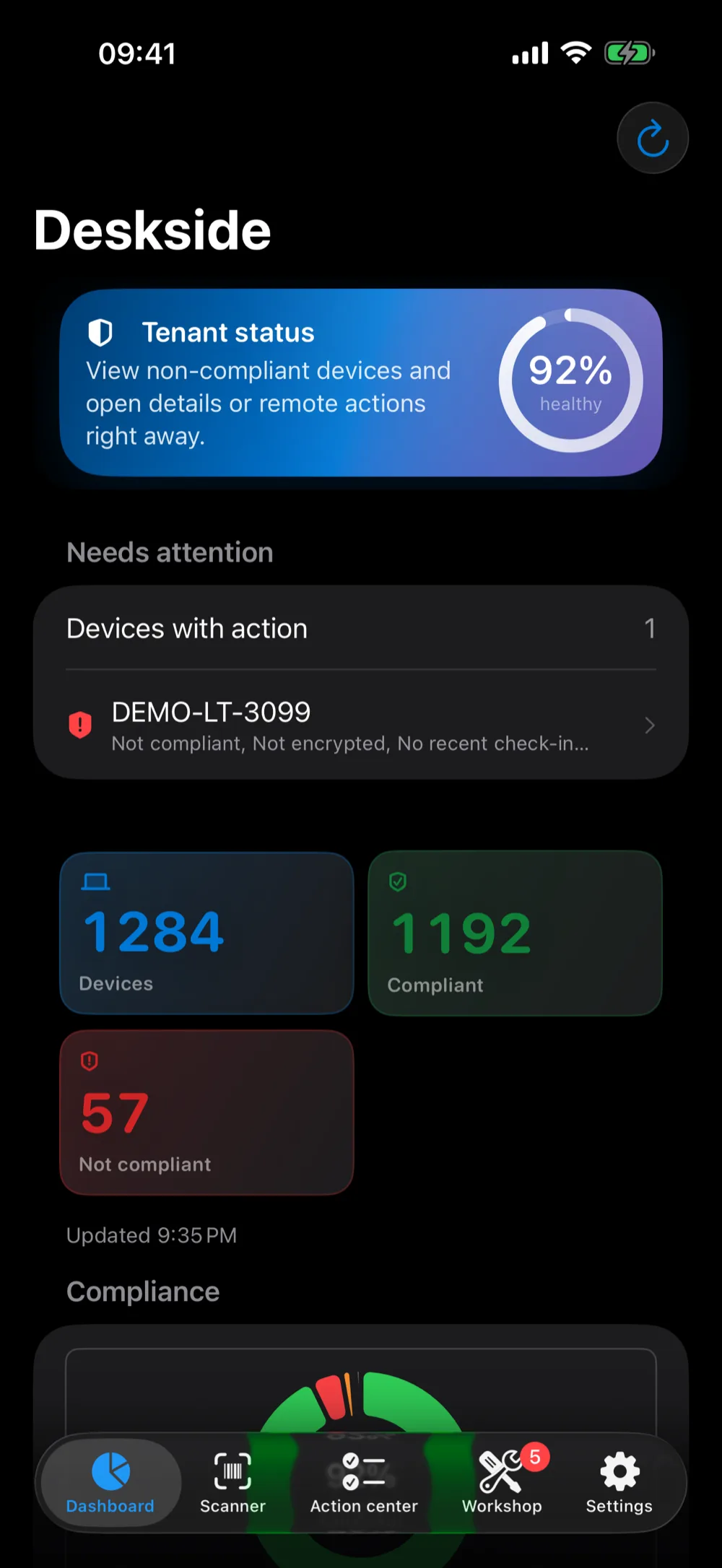
One scan instead of three portals
Point the camera at a barcode or serial number sticker. Deskside reads Code 128 and 39, QR, DataMatrix and EAN-13, and recognises the text on stickers. Everything Intune, Autopilot and Entra ID know about the device then sits on one screen, with anything that needs attention at the top.
- Manual entry, search by device name or user, and a searchable scan history
- Compliance, encryption, groups, installed apps and BitLocker recovery keys
- A flashlight for stickers in awkward places, and a handheld scanner works too
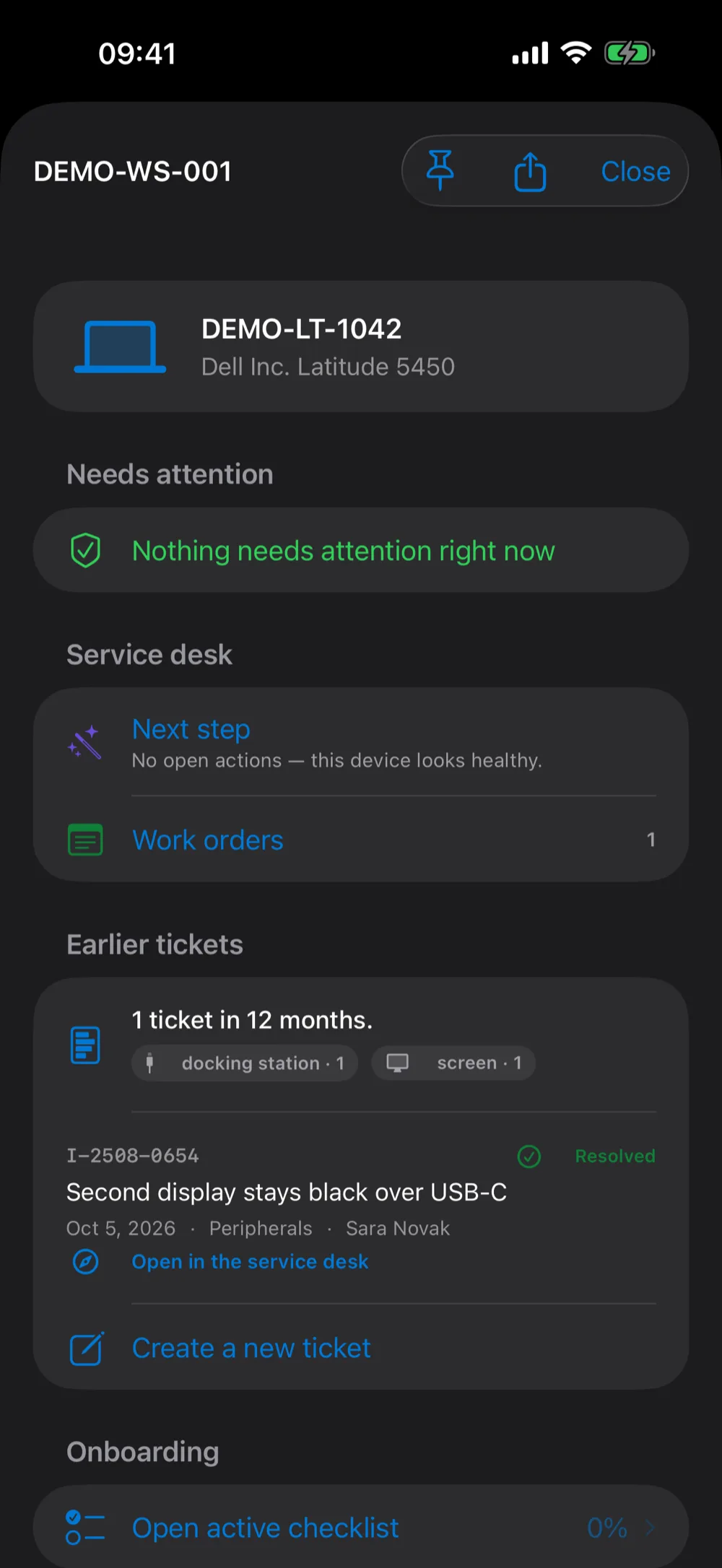
The back story with every scan
Connect your organisation's service desk and every scanned device shows its earlier tickets, with a short summary. When the same problem keeps coming back, the app points it out. New tickets start with the device details already filled in.
- Works with TOPdesk, ServiceNow, Jira Service Management, Freshservice, Zendesk or your own REST endpoint
- The app talks directly to your own service desk
- Without a connection, the rest of the app works as usual
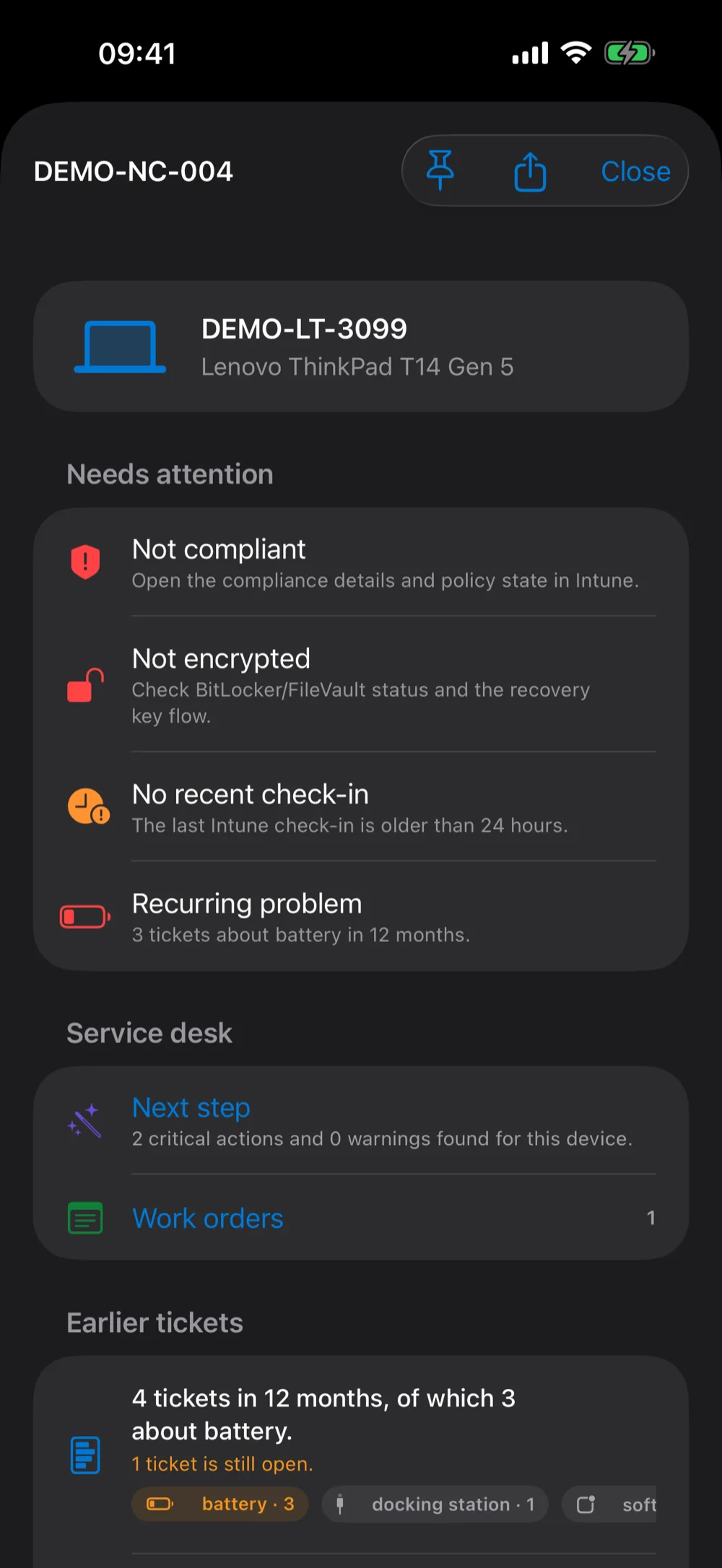
See what is open, then fix it
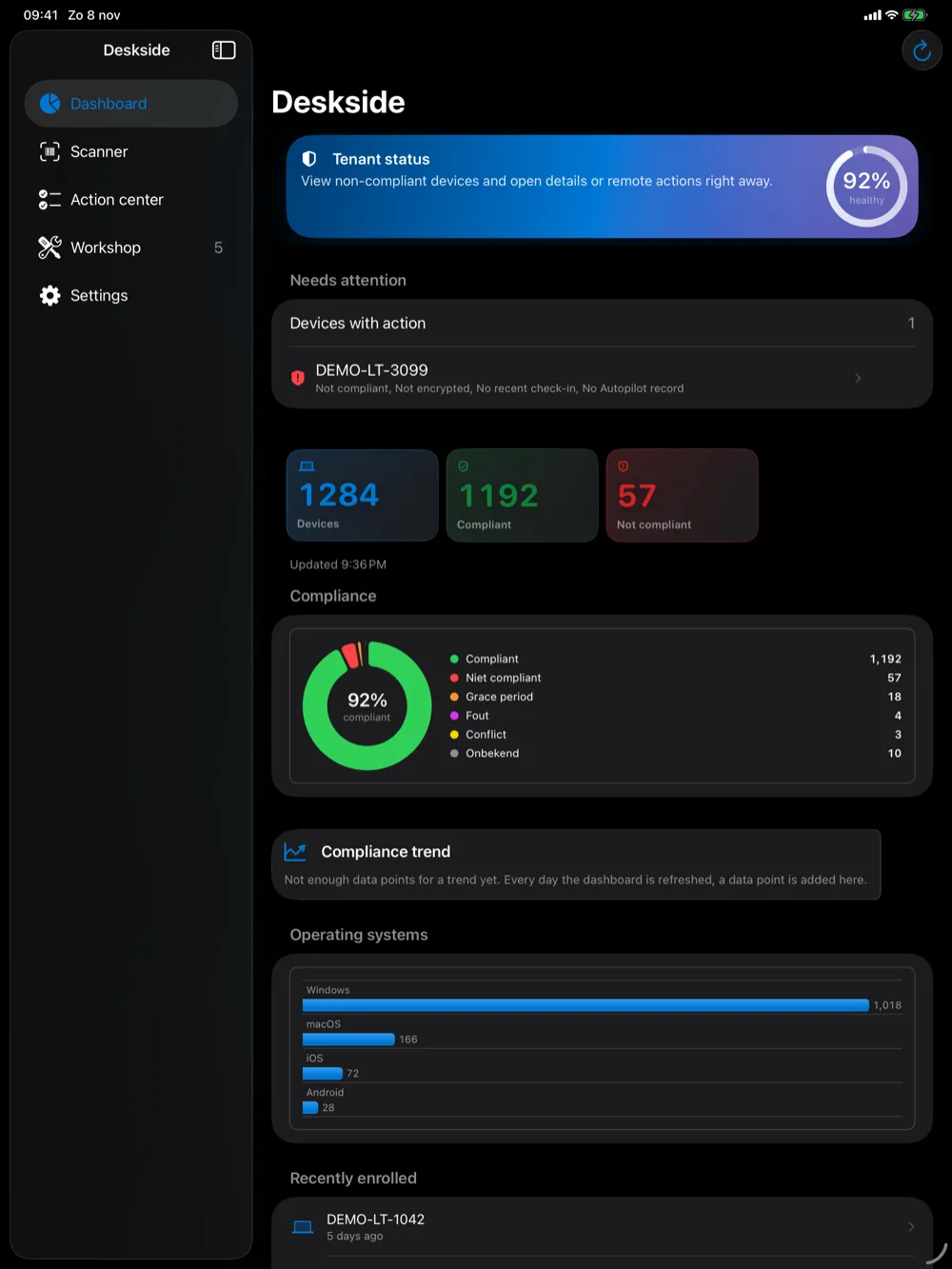
The dashboard shows compliance across your whole tenant, with a ninety day trend. The action center lists what needs attention: stale sync, non compliant, unencrypted and Autopilot drift. Every device gets a next best action you can run with one tap.
- Remote actions such as force sync, restart, a Defender scan and passcode reset
- Across a whole batch of devices at once, with progress per device
- Every list exports to CSV
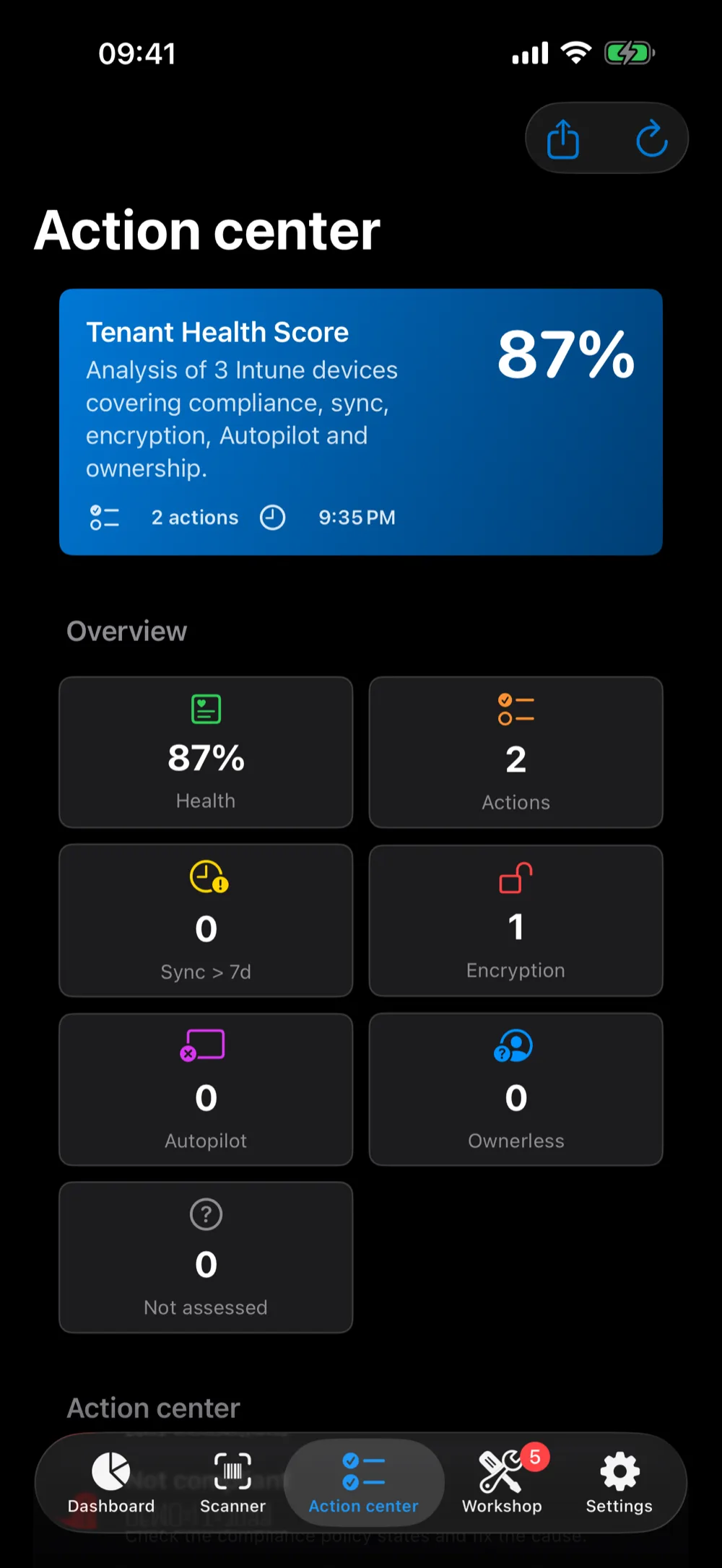
Service desk work in one place
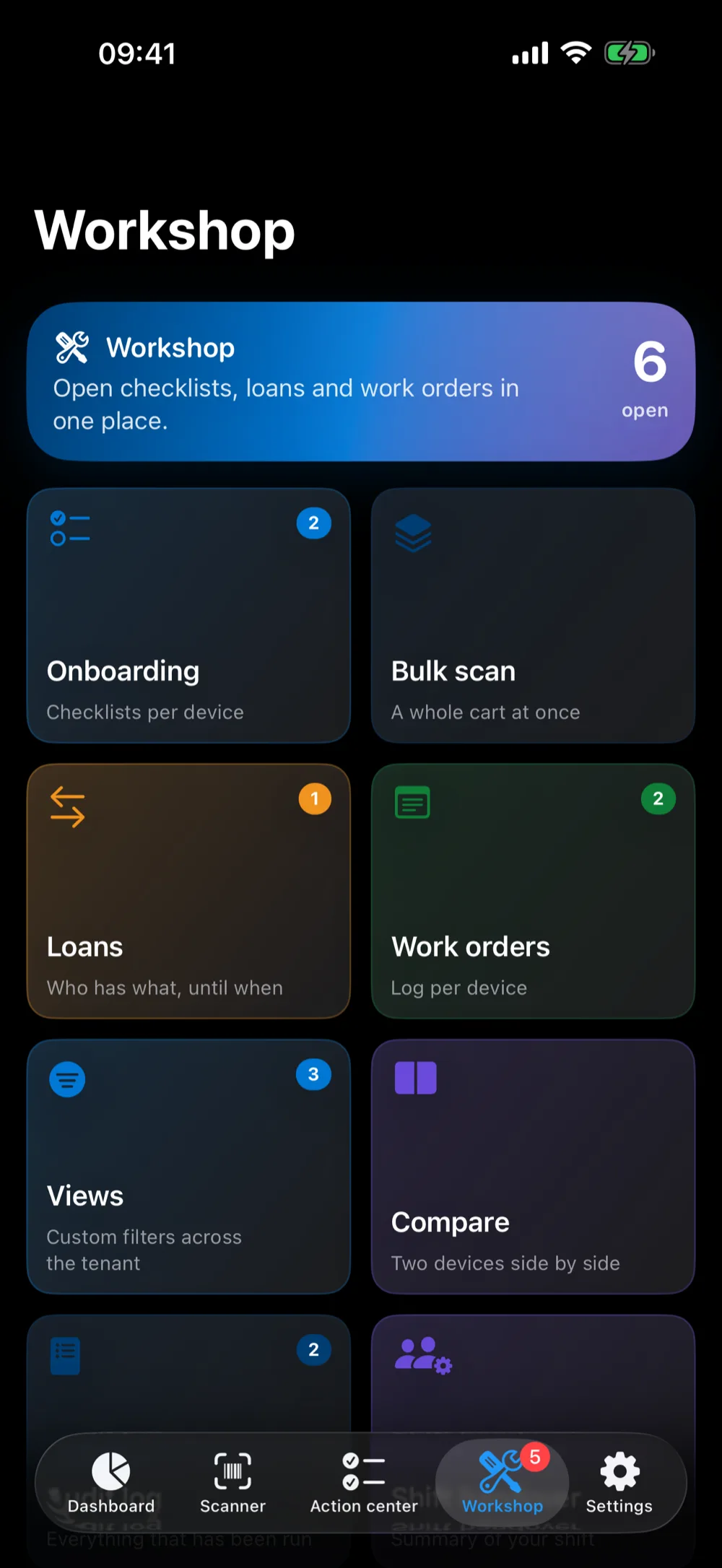
The Workshop holds the tools you need regularly rather than every day. A counter shows how many checklists, loans and work orders are still open.
- Bulk scan: a whole cart of laptops in one go
- Onboarding checklists, including your own templates
- A loan register that flags overdue devices, and work orders per device
- Saved views, side by side device comparison and an offline tenant copy
A proper iPad app as well
On the iPad you get a sidebar instead of tabs, with list and detail side by side. A keyboard makes it quicker: cmd-N for a new scan, cmd-F to search and cmd-1 through cmd-5 for each section.
- Works in Split View, Slide Over and Stage Manager
- Grids that use the whole screen
- Keyboard and pointer support
At a glance
Deploy with Intune
Client ID, tenant ID, branding, feature policy and the company licence arrive through an app configuration policy.
Your rights, nothing more
The app uses delegated permissions. What you can see and do is bounded by your own Intune role.
Audit log
Everything the service desk does can be traced, including failed and blocked attempts. Exports to CSV.
Reports
A management report as an A4 PDF, a shift handover as text or PDF, a workplace report per device and QR badges.
Face ID lock
Lock the app with Face ID or Touch ID. An administrator can make it mandatory.
Privacy mode
Hides names and email addresses on screen and in exports. Useful for a demo or when you share your screen.
Demo mode
Explore the whole app with sample data, without an account and without an Azure connection.
Twelve languages
Including English, Dutch, German, French, Spanish and Italian. The app follows your device language.
Start free, add Pro or Team when you need more
The free tier gives you 25 lookups a month, the scanner, the dashboard and the onboarding checklists. Pro is €9.99 a month or €99.99 a year, with a one week free trial, and unlocks unlimited lookups, bulk scanning, the action center, exports, remote actions, ticket history and the Workshop features. Team is €349.99 a year and adds the management report, the audit log and shift handover. Prices are in euros; the App Store shows the price for your country. Organisations can also buy a company licence that is deployed through Intune.
Good to know
What do I need to use Deskside?
An organisation that uses Microsoft Intune and Entra ID, and a work account with an Intune role. An administrator creates an app registration in Entra ID once and grants admin consent. If your organisation deploys the app through Intune, the connection is already filled in. The app runs on iPhone and iPad with iOS 17 or later.
Does any data go to WeMeekIt?
No. There is no server of ours, no analytics and no crash reporting. Data goes directly between your device and Microsoft, and to your organisation's service desk if you connect it.
Can I try the app first?
Yes. Demo mode shows the whole app with sample data, without an account. With your own tenant you get 25 free lookups a month, and Pro comes with a one week free trial.
Can the app do more than I am allowed to in Intune?
No. All permissions are delegated, so the app can never go beyond your own Intune role. An administrator can switch off destructive actions such as retire centrally, and every action lands in the audit log, including failed ones.
Does the app keep camera images?
No. The camera only reads barcodes and serial number stickers. Images are not stored or sent anywhere; only the recognised characters go into the search.
Is Deskside the same app as Werkplek Scanner?
Yes. Werkplek Scanner has been called Deskside since version 3.1. It is the same app, with the same data and the same subscription.
More apps by WeMeekIt
 BamBuddyWatch and control your 3D printers on iPhone, iPad, Mac, Apple Watch and Apple TV.
 DomusYour whole Apple Home on one screen, with dashboards you build yourself and an iPad on the wall as a control panel.
 TheatrumRequest films and series from your own Seerr server, follow them until they are ready, and manage your stack from your iPhone.
 FotiqFinds duplicate photos, screenshots, blurry shots and large videos on your iPhone, and you decide what goes.
 PartyLightsMakes your smart lights move to your music, straight over your own Wi-Fi.
Start with the demo
Download Deskside, open the demo and see whether it fits your service desk. Connecting your own tenant takes a few steps after that.