
Every print.
Always in sight.
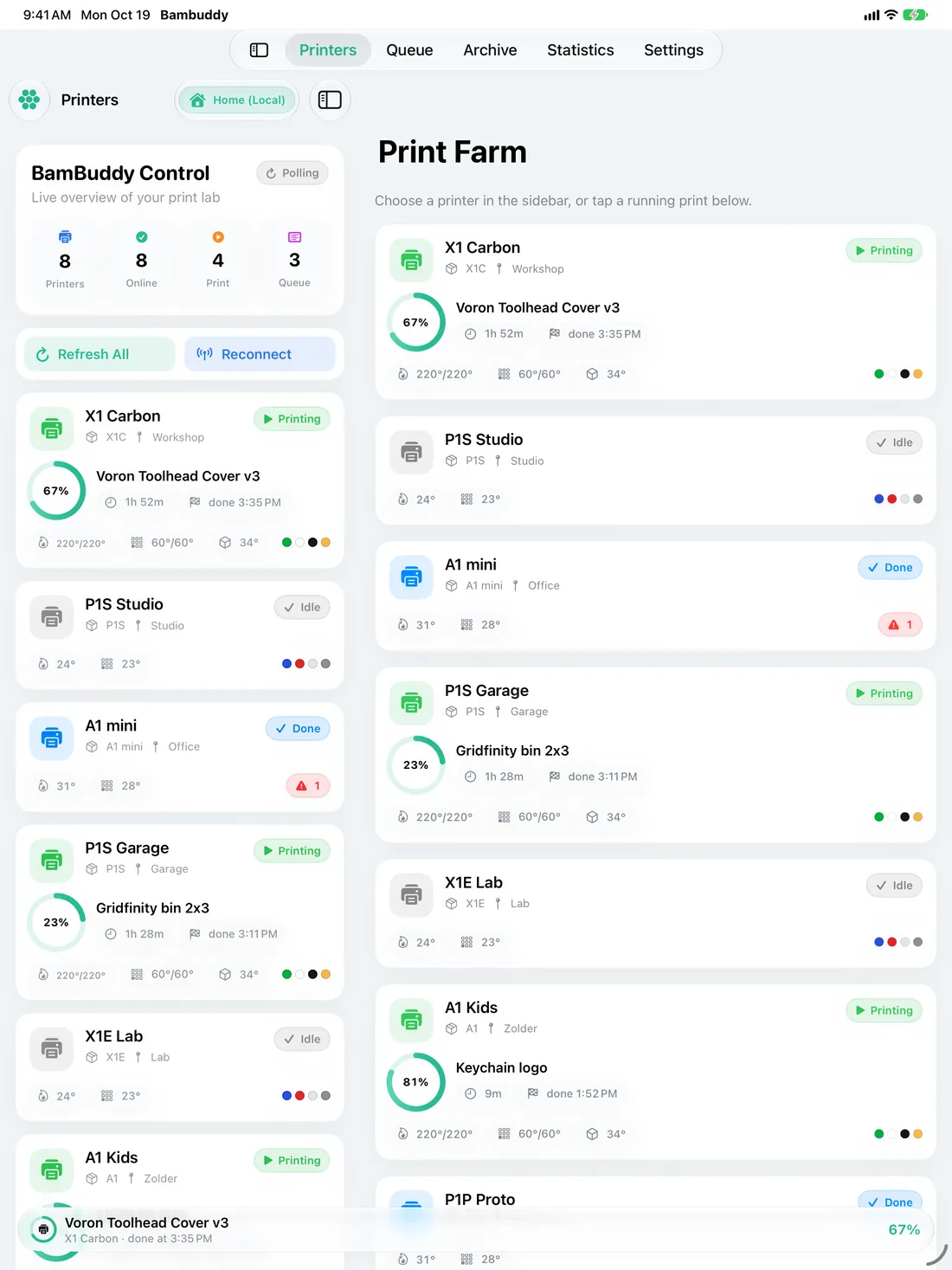
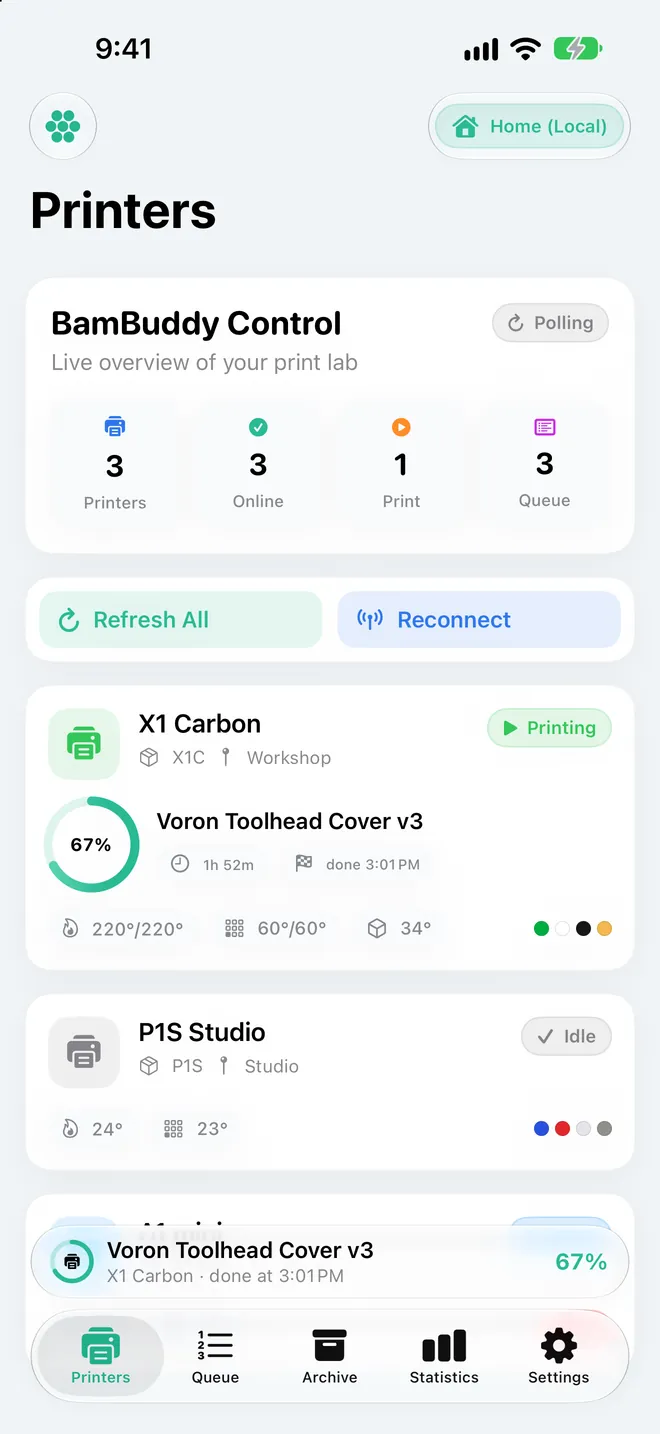
BamBuddy lets you watch and control your 3D printers from your iPhone, iPad, Mac, Apple Watch and Apple TV. Live progress on your Lock Screen, the camera, your filament and an alert the moment something goes wrong. For Bambu Lab, and now Klipper, Prusa, OctoPrint and Elegoo too.
- iPhone
- iPad
- Mac
- Apple Watchnew
- Apple TV
- Android
- This page in:
- Nederlands
- English
- Deutsch
- Français
- Español
- Italiano
- Português (Brasil)
- 日本語
- 简体中文
Know how your print is doing, wherever you are
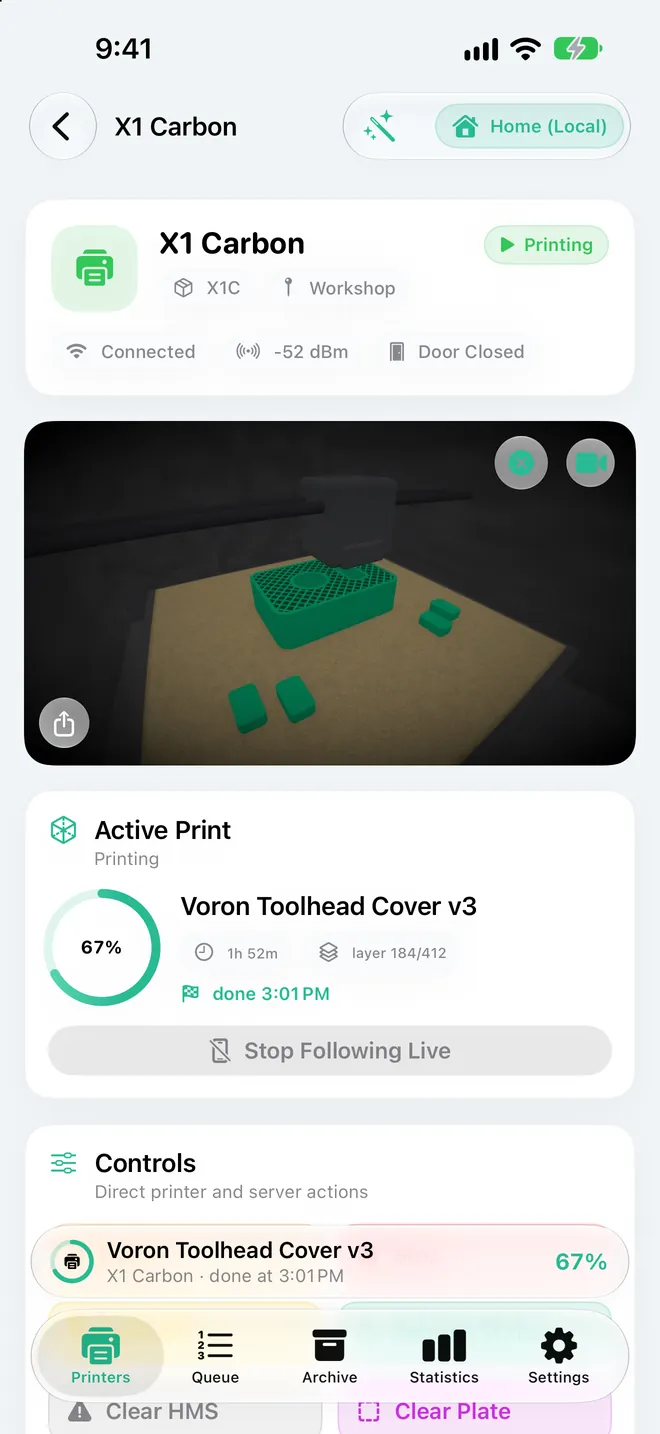
Progress, layers, finish time and temperatures, at home over your own network and on the go through your remote address. The app switches by itself.
- Camera · live view and a photo to share
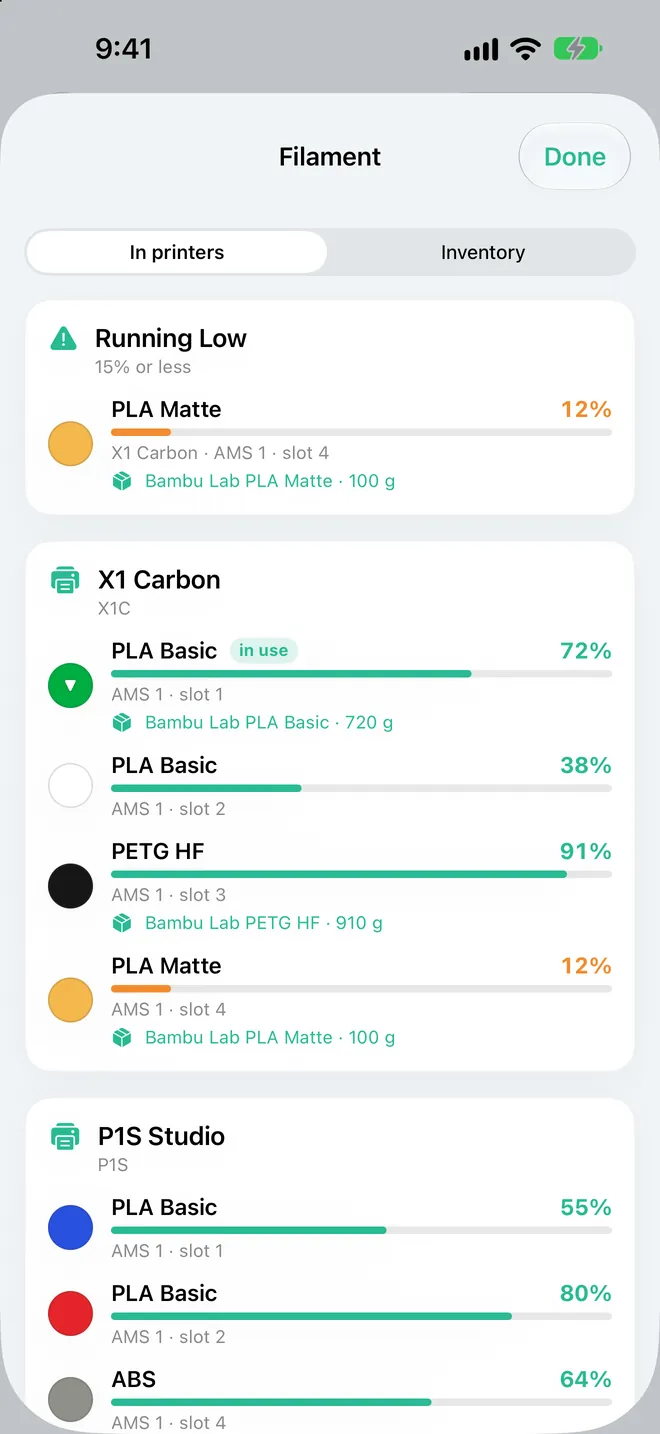
- AMS and filament · every spool with its color and what’s left
- Control with confidence · pause, resume, stop, light and speed
Your print on your wrist
Turn the Digital Crown to flip through your printers. Pause or turn on the light with one tap, and see progress and finish time on your watch face.
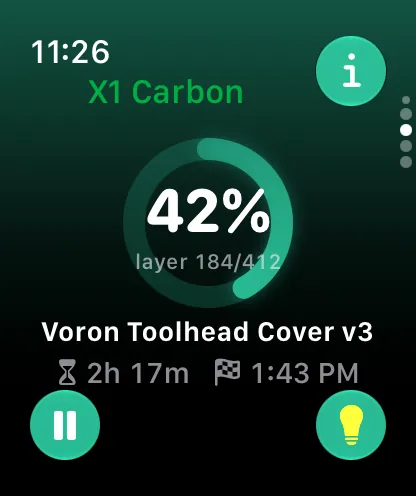
Progress
A ring that keeps moving between updates.
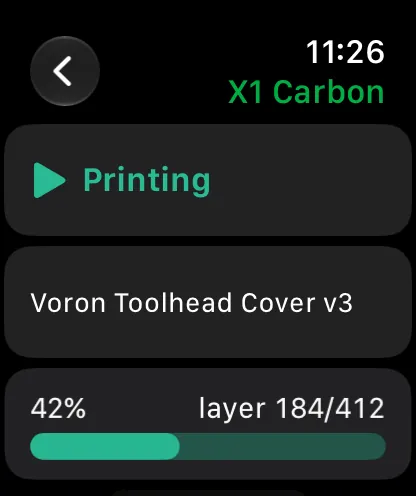
Details
Temperatures, AMS spools and alerts.
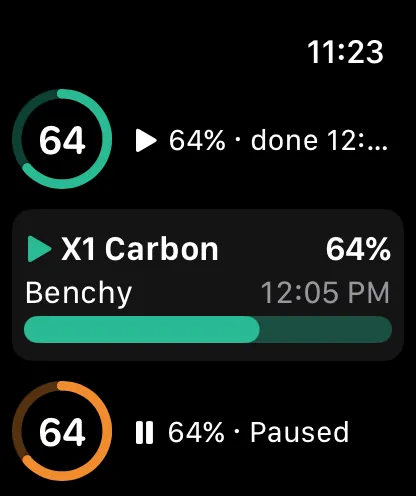
Complications
Percentage and finish time on your watch face.
Print smarter
Nine new features, now in TestFlight.
AI monitoring PRO
Apple Intelligence watches through the camera and warns you about spaghetti or a detached print. On your own device; nothing goes to a server.
First-layer check PRO
After the first layer, an alert with a camera photo, on your watch too. Looks good, or stop right away?
Cost per print
Filament, electricity and wear, with a selling price for those who sell prints and a monthly chart.
Share card and time-lapse
A beautiful card of your print for Instagram and TikTok, and your time-lapse with the print name on it.
Smart home PRO
A HomeKit plug that turns your printer off once it’s done and cooled down, and a light that turns red on an error.
Find models
Browse Printables, download and open in Bambu Studio, Bambu Handy or OrcaSlicer.
Reorder filament
Running low? One tap to the right spool at Amazon or the Bambu Lab store.
Bambu Lab and more
Plus Klipper, Prusa, OctoPrint and Elegoo
Apple Watch
Percentage and finish time on your watch face.
Not just Bambu Lab
Connect your other printers directly, without a server. They show up in the same list, widgets, Live Activity and on your watch.
Voron, Creality K1/K2, Sovol, Qidi, Elegoo Neptune 4 and other Klipper printers
MK4, MK3.9, Core One, XL and MINI+ via PrusaLink
Ender, Anycubic, Artillery and any printer running OctoPrint
Centauri Carbon, with camera and light
Bambu Lab printers connect through your own Bambuddy server (free and open source), for queue, archive and statistics.
Queue, archive and statistics
Line up prints, look back at what you made and see your success rate, print hours, filament use and costs. With on-device AI insights.
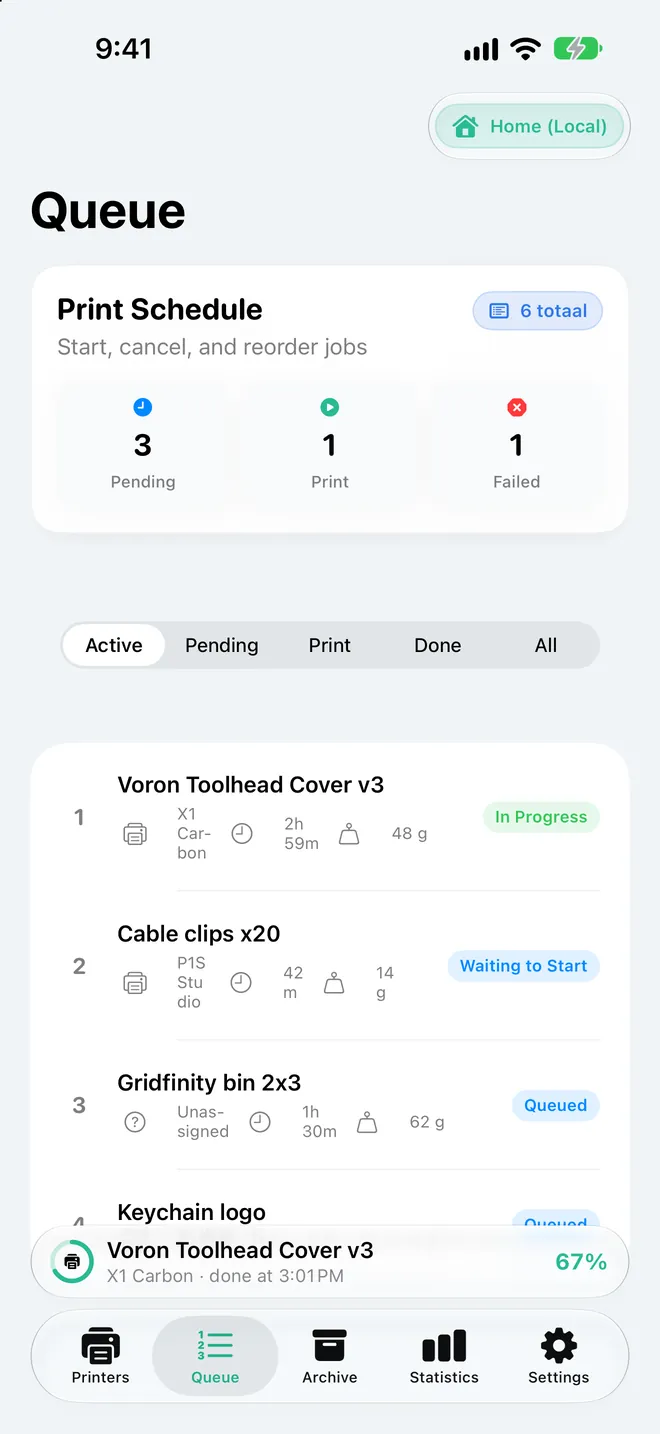
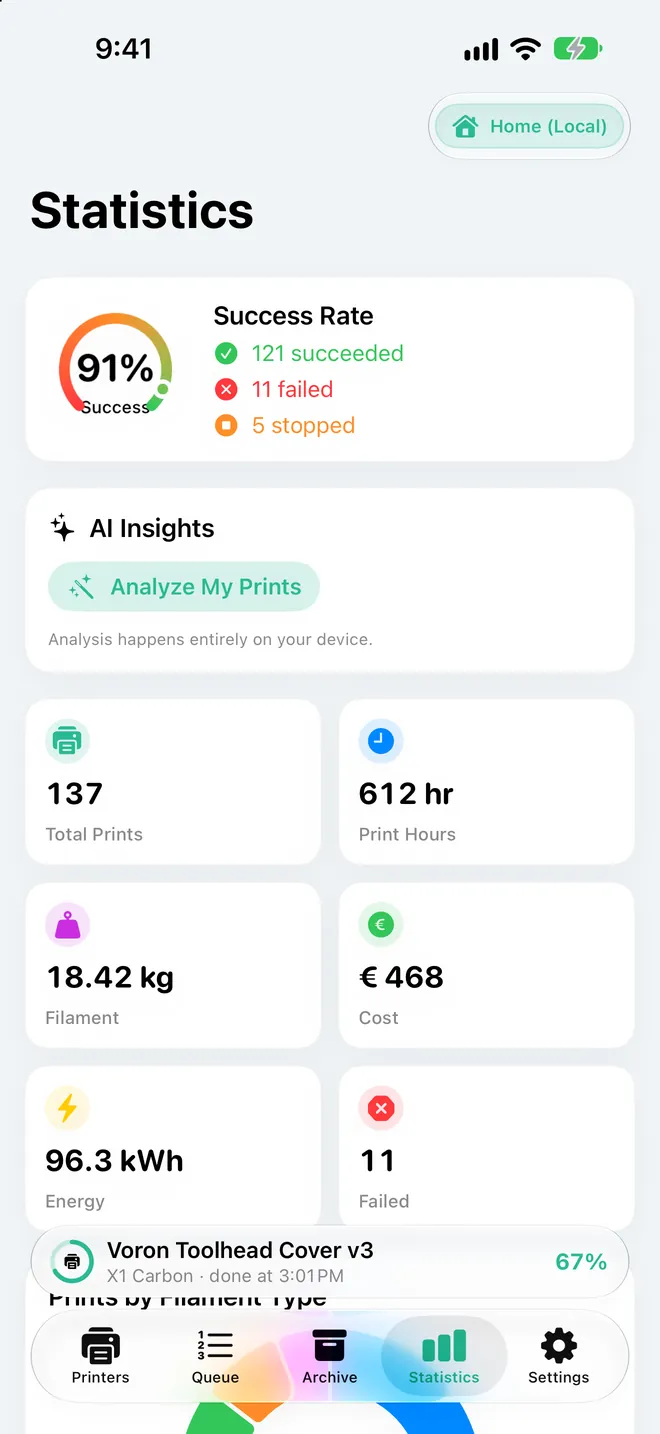
On all your devices
One purchase for iPhone, iPad, Mac, Apple Watch and Apple TV. Your settings travel along through iCloud.
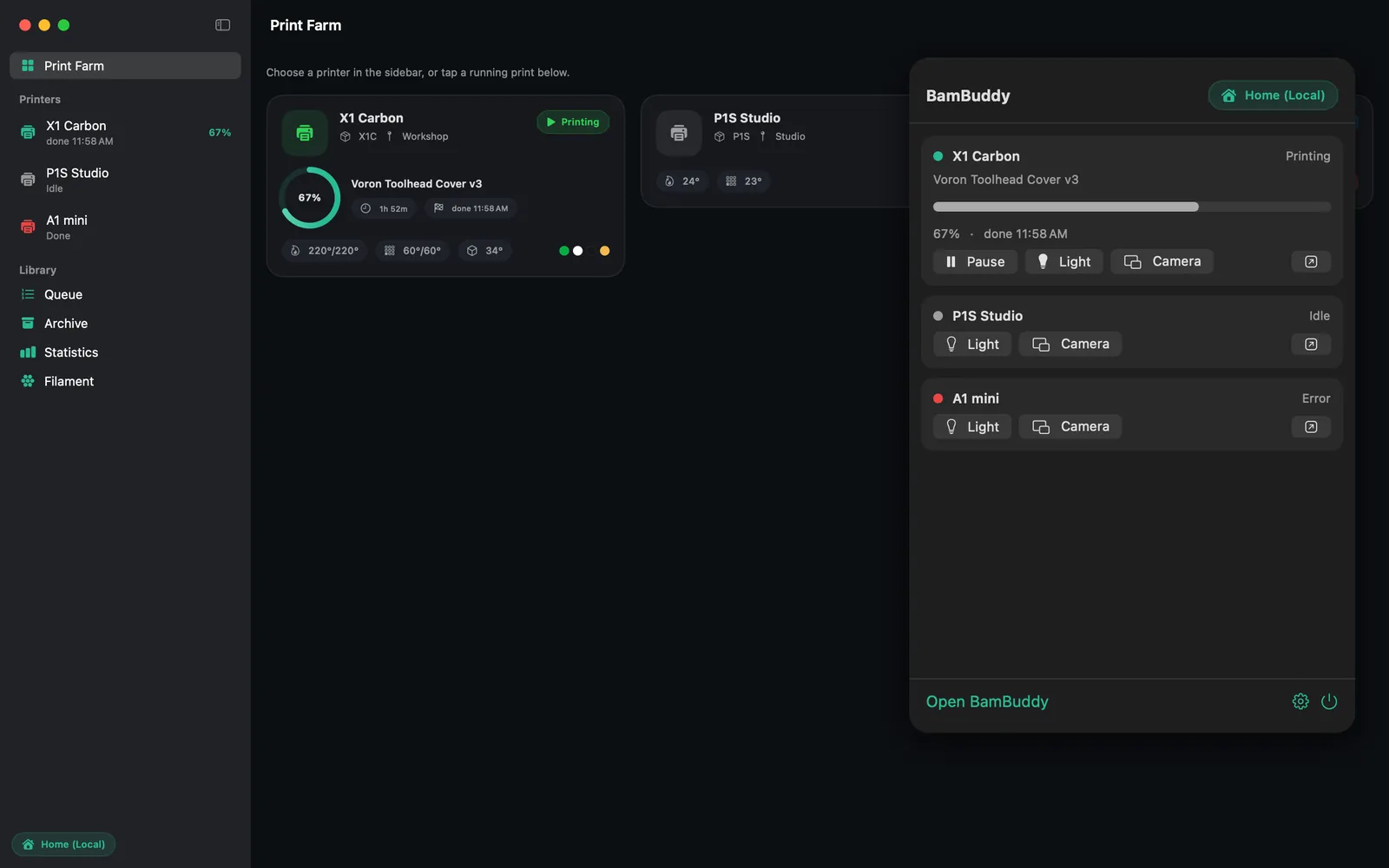
Mac
In the menu bar, with the camera in a floating window and AI monitoring that keeps watching.
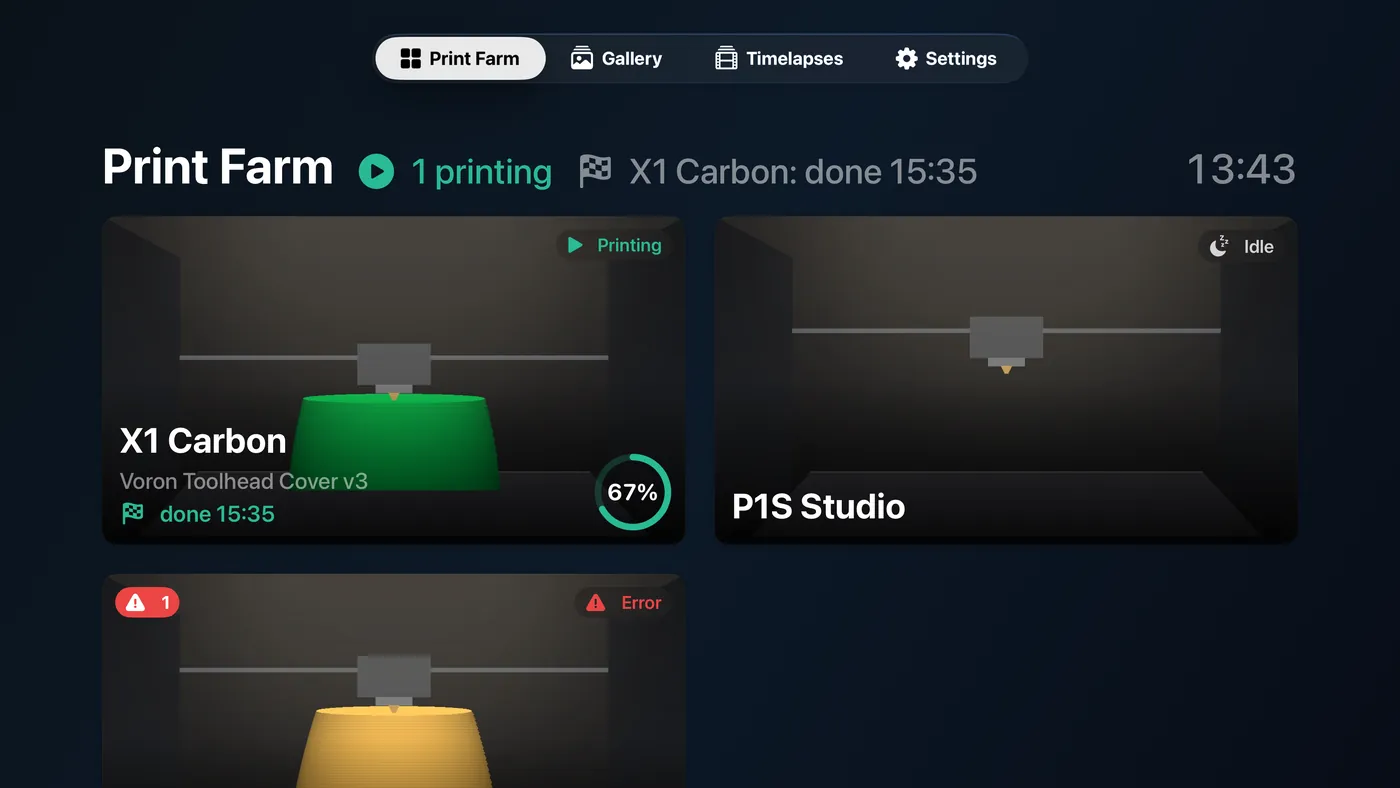
Apple TV
Your whole print farm on the TV, with camera views and an alert when something goes wrong.
Start free, add Pro for your whole farm
BamBuddy
€ 0
- 1 printer with everything: camera, widgets, Siri and Apple Watch
- Cost per print, share card and model search
- Bambu Lab or a printer from another brand
BamBuddy Pro
€1.99 per month
or €14.99 per year (7-day free trial) or €29.99 once
- Unlimited printers: your entire print farm
- Smart notifications, first-layer check and AI monitoring
- Live Activity for every print and HomeKit
- AI print assistant for error codes and failed prints
Prices in euros; your own App Store shows the price for your country.
Where BamBuddy is heading
What’s already here, what’s in review at Apple, what’s in TestFlight and what we want to build next. Plans can still shift.
Live status, camera, controls, queue, archive and statistics, on your Lock Screen, iPad, Mac and Apple TV.
The Watch app, Klipper, Prusa, OctoPrint and Elegoo without a server, AI monitoring, first-layer check, cost per print, filament stock and model search.
Connect a Bambu Lab printer without your own server, plus Snapmaker, Creality and Anycubic, scheduled prints, the cheapest power hours, HomeKit and a yearly summary of your prints.
Filament care, Printer Doctor, reports and quotes, a plate check before the next print, a day and week overview and much more on Apple TV. On Android it follows through Google Play.
After a successful print, BamBuddy asks for a review in the App Store or Google Play, at most now and then.
Share your print farm through iCloud with family, team or makerspace, with roles to view, control or manage.
Camera without a server, starting a print on printers with two nozzles, timelapse from the printer’s SD card and AMS settings without Bambu Handy.
Ask your farm in plain language, with a week planner that suggests a printer and time for each print. You always confirm.
Good to know
Do I need a Bambuddy server?
For Bambu Lab printers, yes: Bambuddy is free, open source and runs at home, for example on a Raspberry Pi or NAS. Klipper, Prusa, OctoPrint and Elegoo printers connect directly, without a server.
How is it different from Bambu Handy?
Your print data stays between the app, your printers and your server, with no cloud. Model search contacts Printables only when you use it. On top of that you get the Apple Watch, Mac, Apple TV, widgets, other brands and on-device AI monitoring.
Where is my data?
On your own devices, your own server and your own iCloud. There’s no account and we receive no data. The AI runs on your device. Read the privacy policy.
Can I try it first?
Yes. One printer is always free with all the basics, and the Pro annual plan starts with a 7-day free trial.
Does it work on Android?
Yes, BamBuddy is on Google Play too. The newest features arrive on Apple devices first.
Which languages is BamBuddy in?
Dutch, English, German, French, Spanish, Italian, Portuguese (Brazil), Japanese and Simplified Chinese.
More apps by WeMeekIt
 DomusYour whole Apple Home on one screen, with dashboards you build yourself and an iPad on the wall as a control panel.
 TheatrumRequest films and series from your own Seerr server, follow them until they are ready, and manage your stack from your iPhone.
 FotiqFinds duplicate photos, screenshots, blurry shots and large videos on your iPhone, and you decide what goes.
 PartyLightsMakes your smart lights move to your music, straight over your own Wi-Fi.
 DesksideScan a serial number and see the Intune, Autopilot and Entra ID status at once.
Always know how your print is doing
BamBuddy is on the App Store and Google Play.

